

MQTT Fundamentals
Understand how MQTT works as the messaging backbone for IoT devices on the intelliThings platform.
This article explains the basic principles of MQTT and how it enables communication between your devices and the intelliThings platform.
What is MQTT?
MQTT (Message Queuing Telemetry Transport) is a lightweight messaging protocol designed for machines-to-machine (M2M) communication. It is one of the most widely used protocols in IoT (Internet of Things) because of its simplicity, low overhead, and reliability — even on unstable networks.
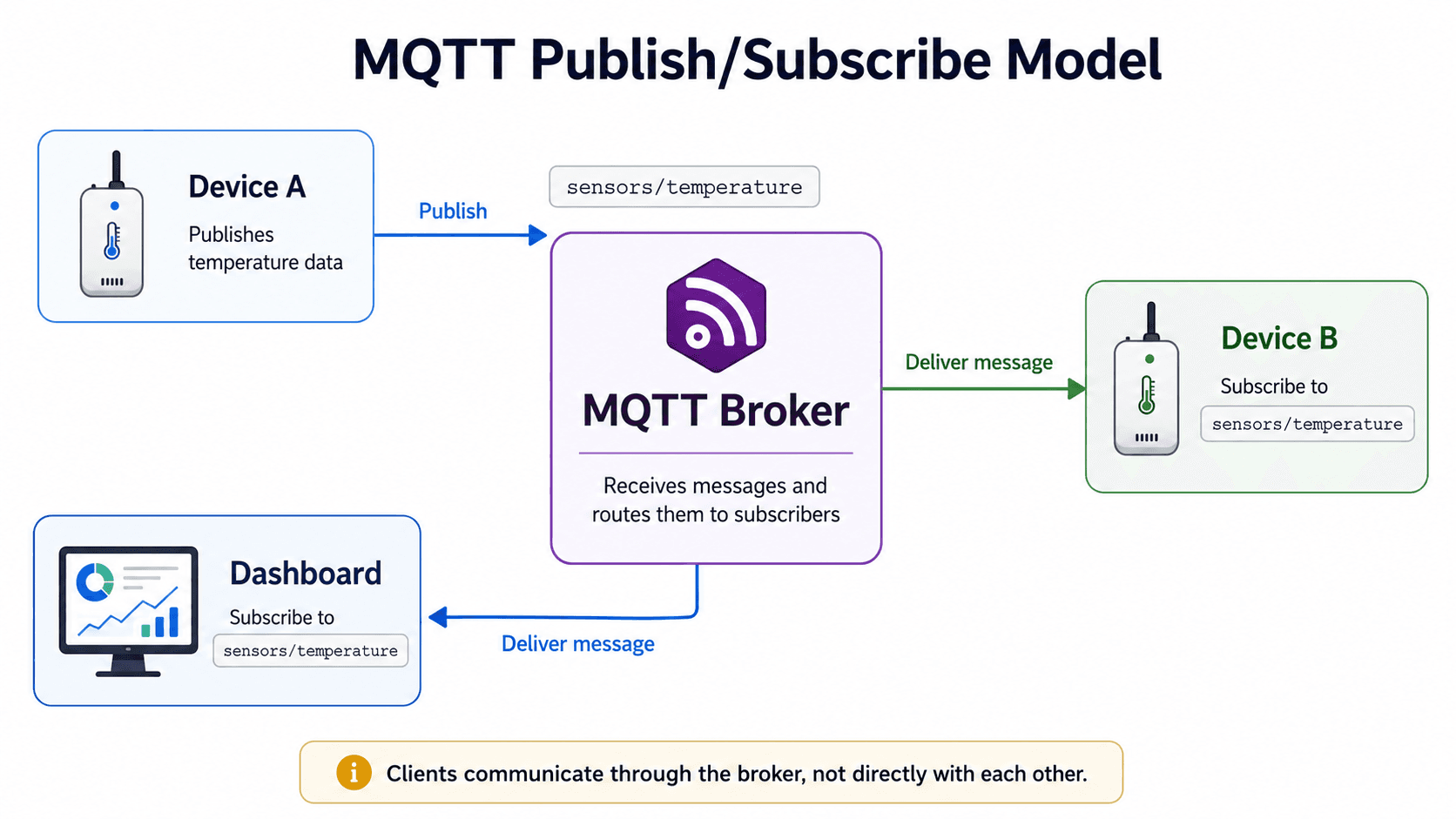
MQTT works on a publish/subscribe model, which means devices do not communicate directly with each other. Instead, they all communicate through a central server called a broker.
The Publish/Subscribe Model
Here is how the publish/subscribe model works:
- Devices publish messages to a specific topic on the broker
- Devices subscribe to topics to receive messages published by others
- The broker receives all messages and routes them to the appropriate subscribers
Think of it like a postal system:
- The topic is like a mailing address
- Publishing is like sending a letter to that address
- Subscribing is like signing up to receive mail at that address
- The broker is the postal service that delivers mail to the right recipients
Key Concepts
Broker
The broker is the central server that receives all messages and distributes them to the right devices. On the intelliThings platform, the broker is broker2.mqtt.intellithings.io. All communication goes through this broker.
Topic
A topic is a text string that categorizes messages. Devices publish to topics and subscribe to topics. The topic determines where the message goes and who receives it.
On intelliThings, topics follow a specific structure:
{tenant_slug}/fromDevice/{serial_number}
{tenant_slug}/toDevice/{serial_number}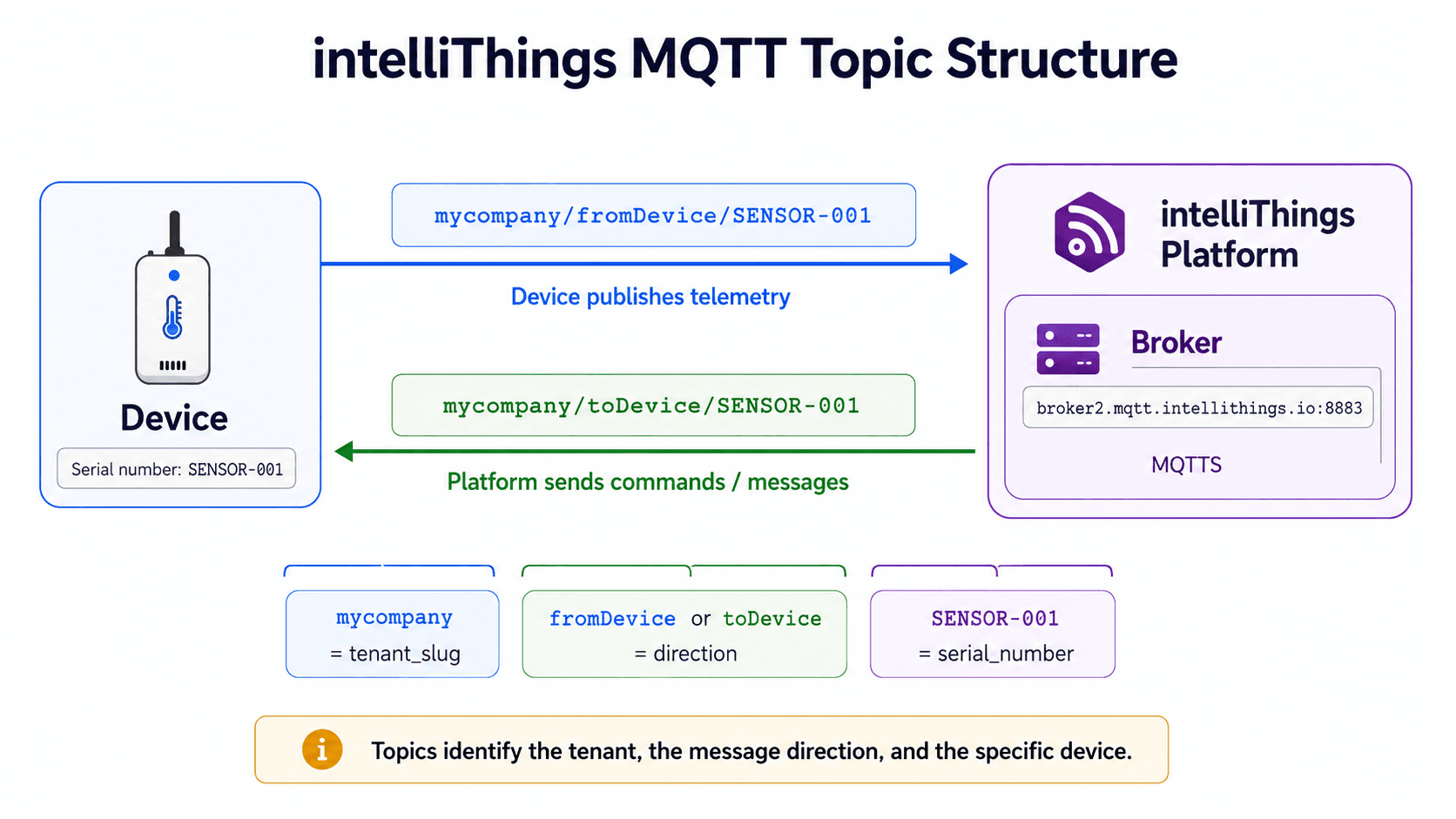
Payload
The payload is the actual data sent with a message. On intelliThings, payloads are typically JSON objects:
{"temperature": 22.5, "humidity": 45, "pressure": 1013.25}Client
A client is any device or application that connects to the broker. Your IoT device is a client. A dashboard or workflow that reads device data is also a client.
How Data Flows to Datastreams
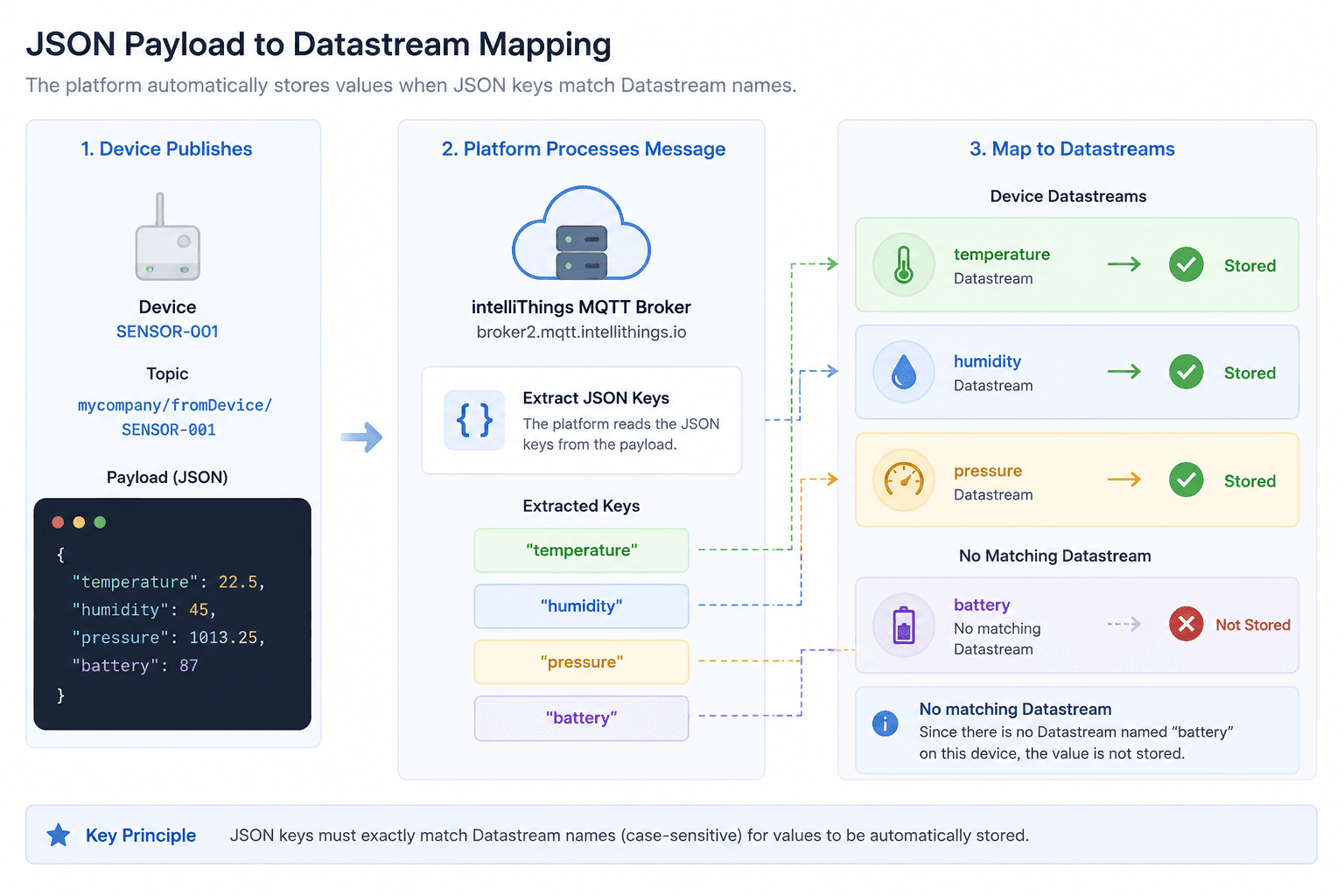
When your device publishes a message to {tenant_slug}/fromDevice/{serial_number}, the intelliThings platform automatically stores the data — if the keys in the JSON payload match the names of Datastreams defined for that device.
Automatic Data Storage
Here is the principle:
- Your device publishes JSON data to its
fromDevicetopic - The platform reads the JSON keys (e.g.,
temperature,humidity) - The platform looks for Datastreams with matching names on the device's device template
- If a matching Datastream exists, the value is automatically stored in that Datastream
- If no matching Datastream exists, the data is not stored
Example: Single Device
Let's say you have a device with serial number SENSOR-001 and your tenant slug is mycompany. You define two Datastreams on this device: temperature and humidity.
When your device publishes:
Topic: mycompany/fromDevice/SENSOR-001
Payload: {"temperature": 22.5, "humidity": 45}
The platform stores 22.5 in the temperature Datastream and 45 in the humidity Datastream.
Example: Multiple Devices
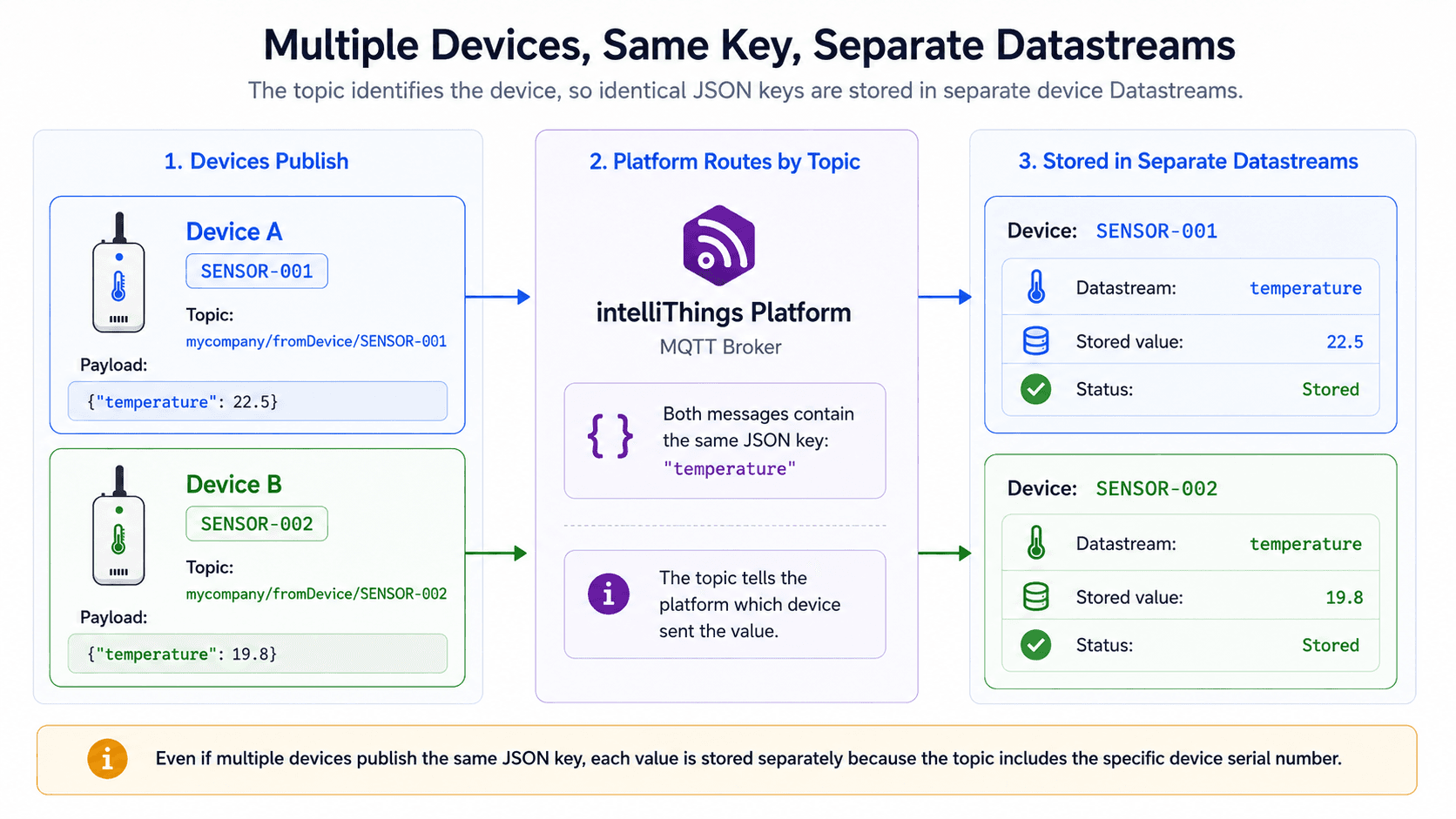
The same principle works across multiple devices. Each device has its own topic, and each device's Datastreams are independent.
Device A (SENSOR-001) publishes to:
Topic: mycompany/fromDevice/SENSOR-001
Payload: {"temperature": 22.5}
Device B (SENSOR-002) publishes to:
Topic: mycompany/fromDevice/SENSOR-002
Payload: {"temperature": 19.8}
Even though both devices publish the same JSON key (temperature), the data is stored in separate Datastreams because each device has its own set of Datastreams defined in its device template. The topic structure ensures the platform knows which device the data belongs to.
Why This Matters
- No configuration needed — as long as your JSON keys match your Datastream names, data flows automatically
- Consistent naming — use clear, consistent Datastream names that match your device's JSON output
- Missing Datastreams — if data is not being stored, check that the Datastream name exactly matches the JSON key
Data Flow Summary
Here is the complete data flow from device to platform:
- Device created in Device Template → Datastreams defined (e.g.,
temperature,humidity) - Certificates generated and downloaded for the device
- Device connects to the broker using MQTTS (
broker2.mqtt.intellithings.io:8883) - Device publishes JSON data to its
fromDevicetopic - Platform receives the message and extracts the JSON keys
- Platform matches JSON keys to Datastream names
- Values are stored automatically in the matching Datastreams
MQTT in IoT
MQTT is the backbone of IoT communication because:
- Low bandwidth — works well on slow or unreliable networks
- Low power — devices can stay connected with minimal energy usage
- Real-time — data is delivered as soon as it is published
- Scalable — thousands of devices can connect to the same broker
- Flexible — works with any data format, any device type, any use case
From smart home sensors to industrial machines, MQTT is the protocol that makes connected devices possible.