

Devices
Check device status, view live readings and open device settings.
The Devices page shows a card for each configured device, with a picture and its current status.
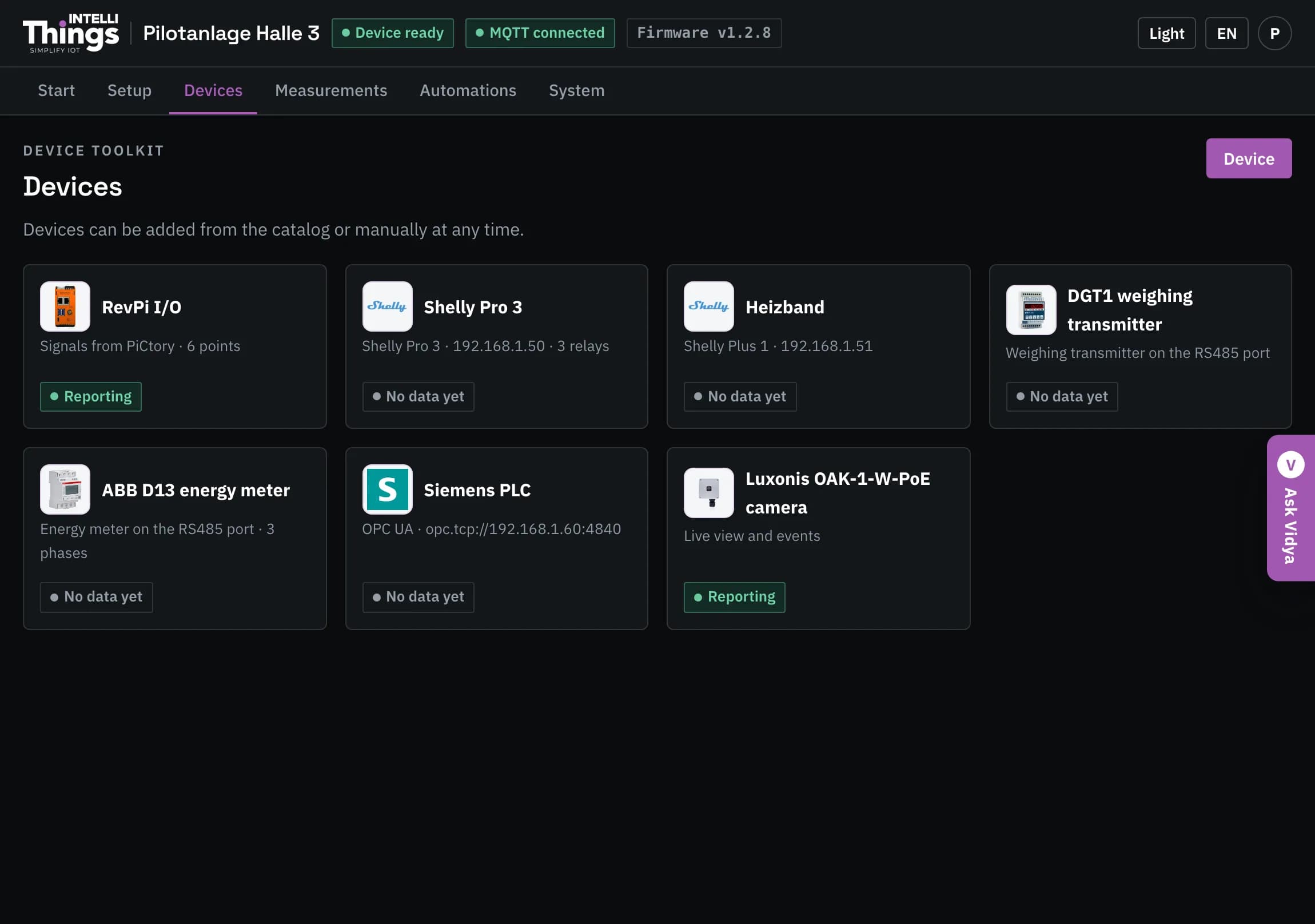
Device status
- Reporting (green) — the RevPi is receiving readings from this device.
- No data yet (grey) — the device is configured but has not provided any readings yet. Open its page and check the wiring. See Troubleshooting for further checks.
Open a device page
Click a card to open the device’s page. It shows live readings, a wiring diagram, device settings and a button to remove the device. See Device pages for details on each device type.
To add another device, click Device at the top right to open Setup. See Adding devices.
RevPi inputs and outputs
The RevPi I/O card appears only when an expansion module is fitted to the RevPi. Without an expansion module, there are no I/O ports to configure on this page. See Inputs & outputs for port configuration.