

Sending to the platform
Select readings to send to intelliThings CORE and configure their sending intervals and change thresholds.
Open Measurements to choose which readings the RevPi sends to intelliThings CORE. This page manages sending settings for all configured devices.
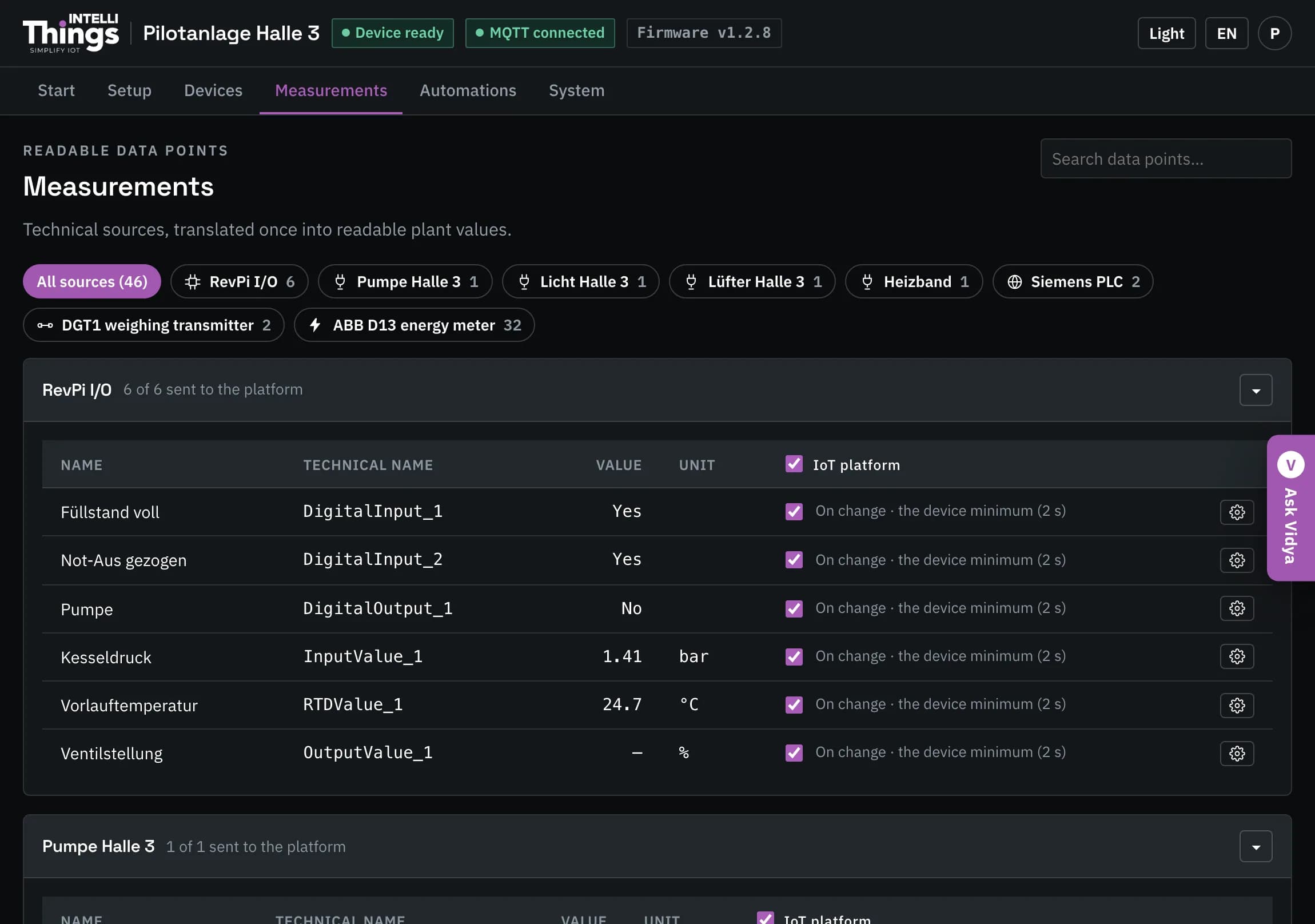
Select readings
- Device sections: each device has its own section. The heading shows how many readings are selected for sending, for example 4 of 6 sent to the platform. Click ▾ to collapse the section.
- Device filters: use the buttons above the list to show readings from one device. Each button shows the number of readings for that device.
- Search: use the field at the top right to find a reading by name.
| Column | What it means |
|---|---|
| Name | Display name of the reading. |
| Technical name | Internal name used by the RevPi and the platform. |
| Value | Current reading. |
| Unit | Unit of the reading. |
| IoT platform | Select the checkbox to send this reading. Select the checkbox in the section heading to select all readings in that section. |
Unselected readings remain available locally
The RevPi continues to read these values. They remain visible in the dashboard and available to automation rules and Vidya, but are not sent to the platform.
Click Save to apply changes on this page. See Saving changes.
How often a reading is sent
Each selected reading shows a summary of its sending settings, such as On change · at most every 30 s. Click ⚙ at the end of the row to edit these settings:
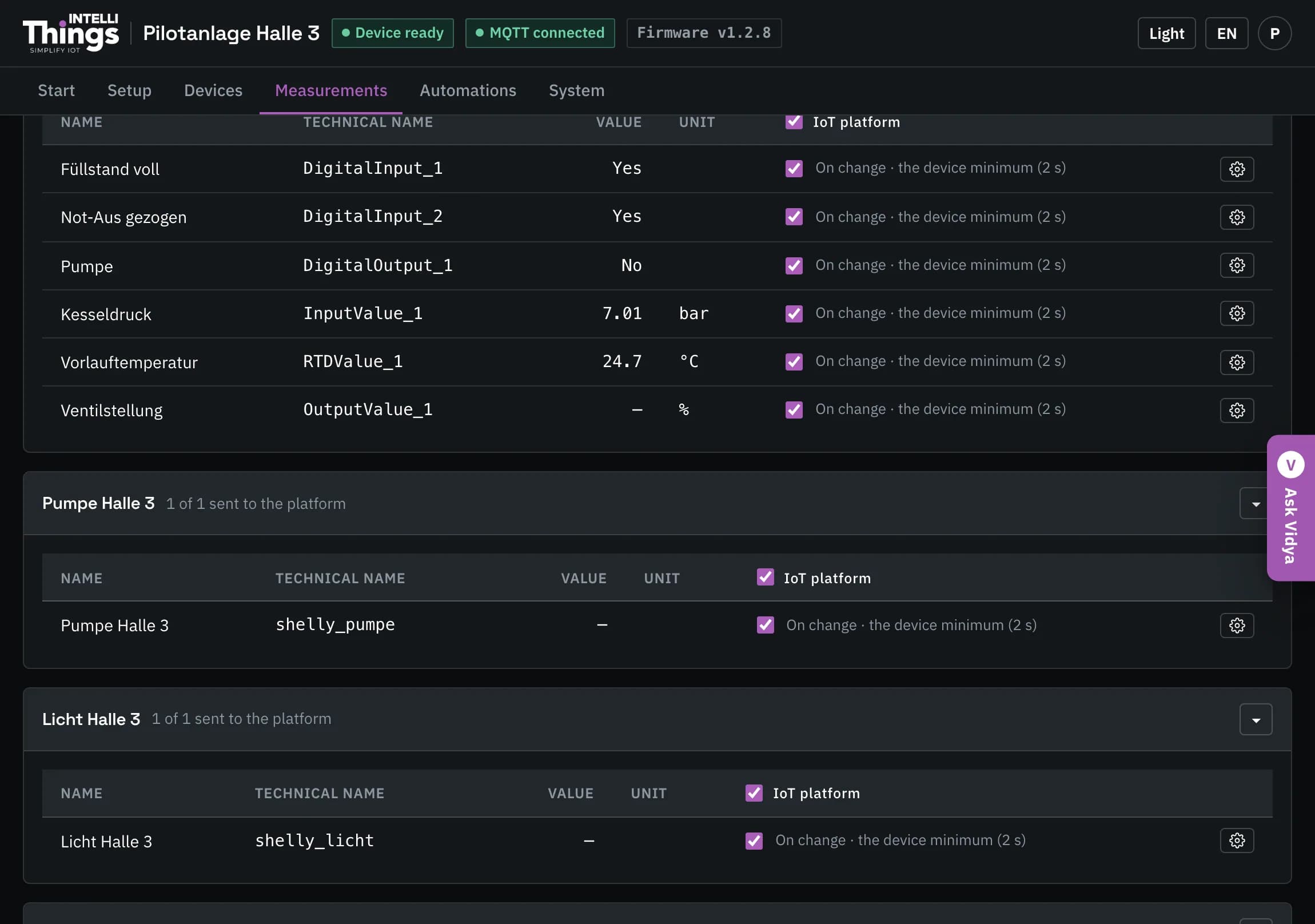
| Setting | What it does |
|---|---|
| On change | Send when the reading changes. At most every sets the minimum time between these messages. Enter 0 to use the RevPi’s minimum interval, normally 2 seconds. |
| Fixed interval | Send at regular intervals, whether or not the reading has changed. |
| Ignore changes smaller than | For numeric readings, set the minimum change required to trigger sending. For example, enter 0.5 for a temperature or 2 for a weight, in the reading’s configured unit. This reduces messages caused by small fluctuations. The setting is not available for switch states or status text. |
All selected readings are also sent every 60 seconds
Every 60 seconds, the RevPi sends the latest available value of each selected reading, even if it has not changed. This keeps the platform updated with the latest values available on the RevPi. On a mobile connection, select only the readings you need to limit data usage.
Between these 60-second updates, the sending settings help reduce messages caused by frequent changes in sensor readings. In one measurement with a fluctuating input, 96 messages in ten seconds were reduced to 6 with a two-second minimum interval, and to 3 when small changes were also ignored.
Export the datastream list
The platform typically requires a file listing the readings, called datastreams. To export the list, ask Vidya: “export all datastreams as CSV”. Its response includes a download button. See Vidya assistant for how to open the assistant.