

Vidya assistant
Ask Vidya about your RevPi, review proposed settings and create automation rules.
Vidya is your AI assistant across the intelliThings portfolio. You may already know it from intelliThings CORE. It is also available in the RevPi firmware, bringing familiar assistance to the configuration and operation of your connected equipment.
In RevPi Manager, describe what you want to achieve in your own words. Vidya can explain settings, propose configuration changes or create automation rules, helping you get things done with less manual work. You do not need to know every setting or where to find it before you start: Vidya asks for any details it needs, and you review and save its proposed changes.
Click the violet Ask Vidya tab on the right edge to open the assistant.
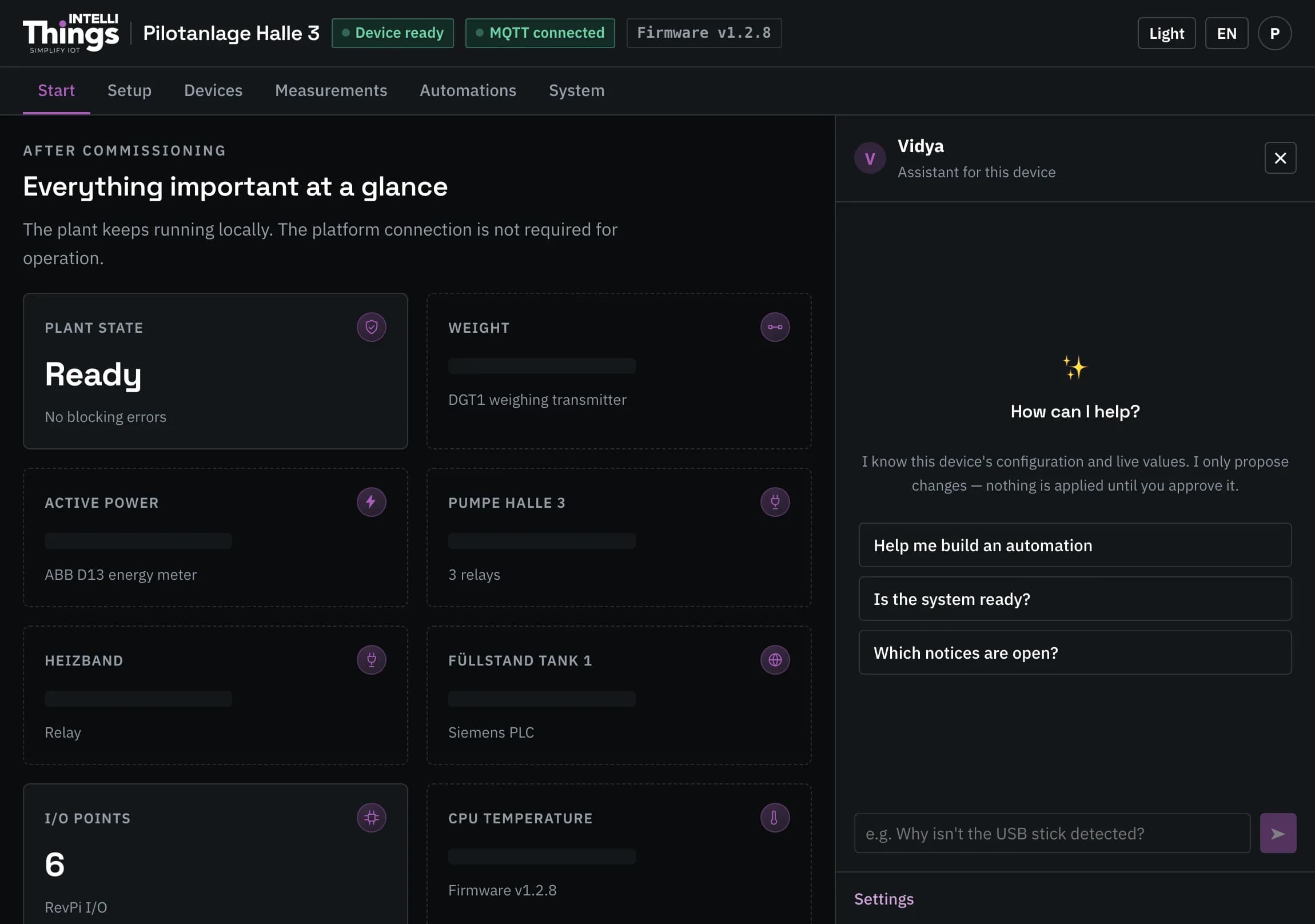
Vidya can access the RevPi’s configuration, live readings, automation rules and this guide. It responds in the language you use to ask your question.
Use the suggested questions below its greeting to get started. Vidya also offers to open this guide as a PDF.
Ask about your RevPi
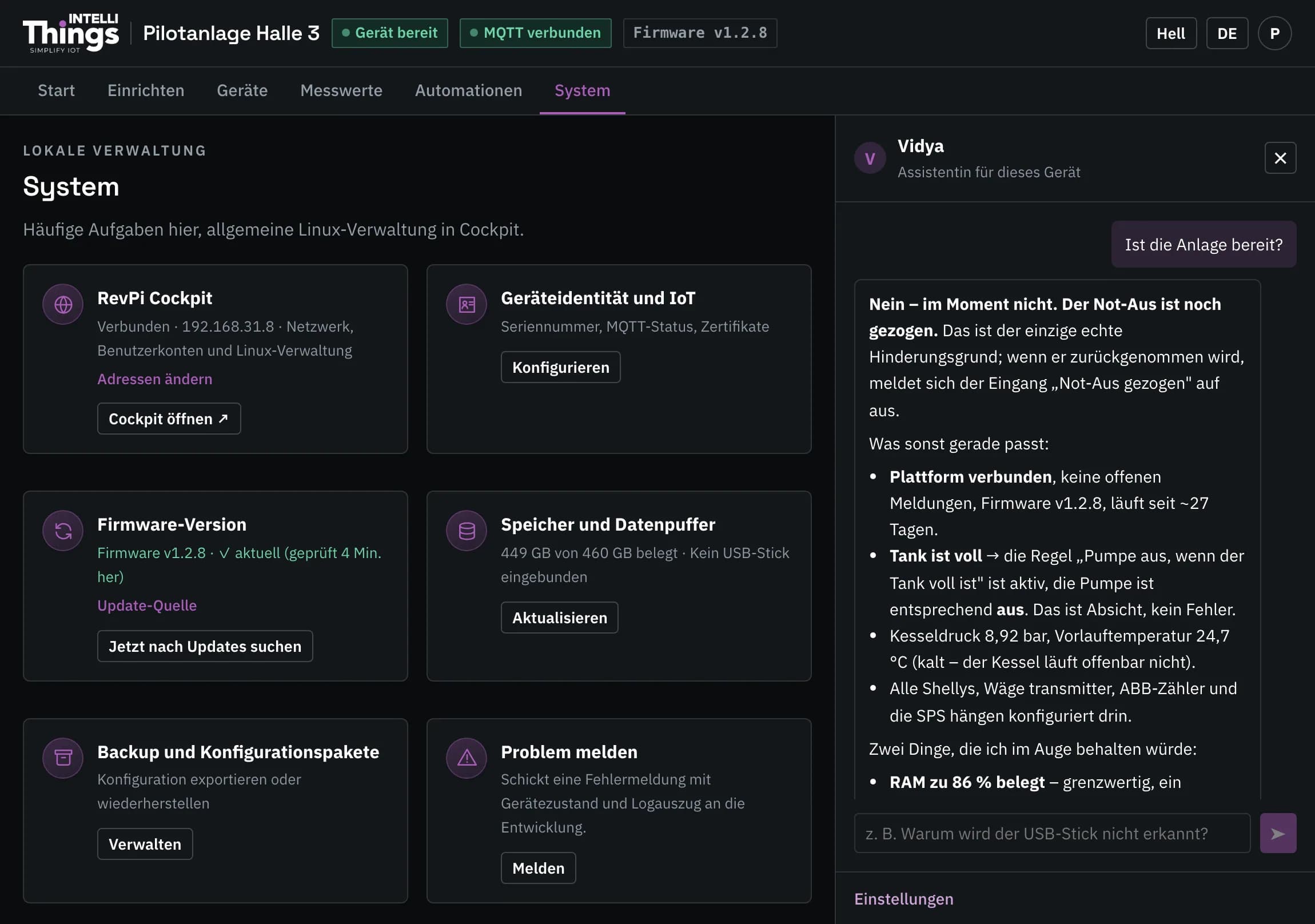
Describe your question in your own words. Vidya uses the available configuration and readings to answer questions about your RevPi.
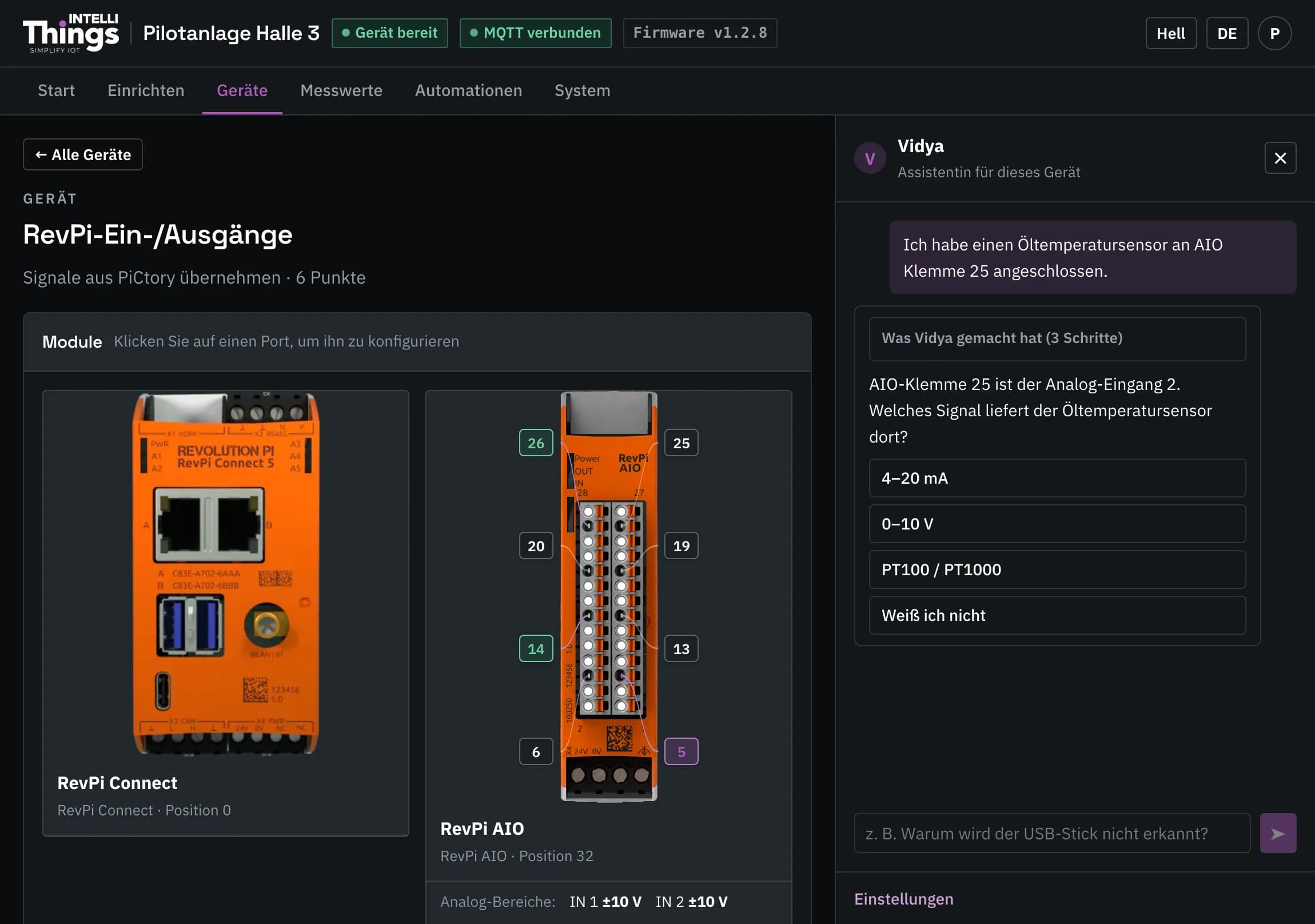
If Vidya needs more information, it asks a follow-up question. Select one of the response buttons to answer:
Review and save proposed changes
Vidya does not change settings on its own. Each proposal appears as a card explaining the exact change and the reason for it. The card has two buttons:
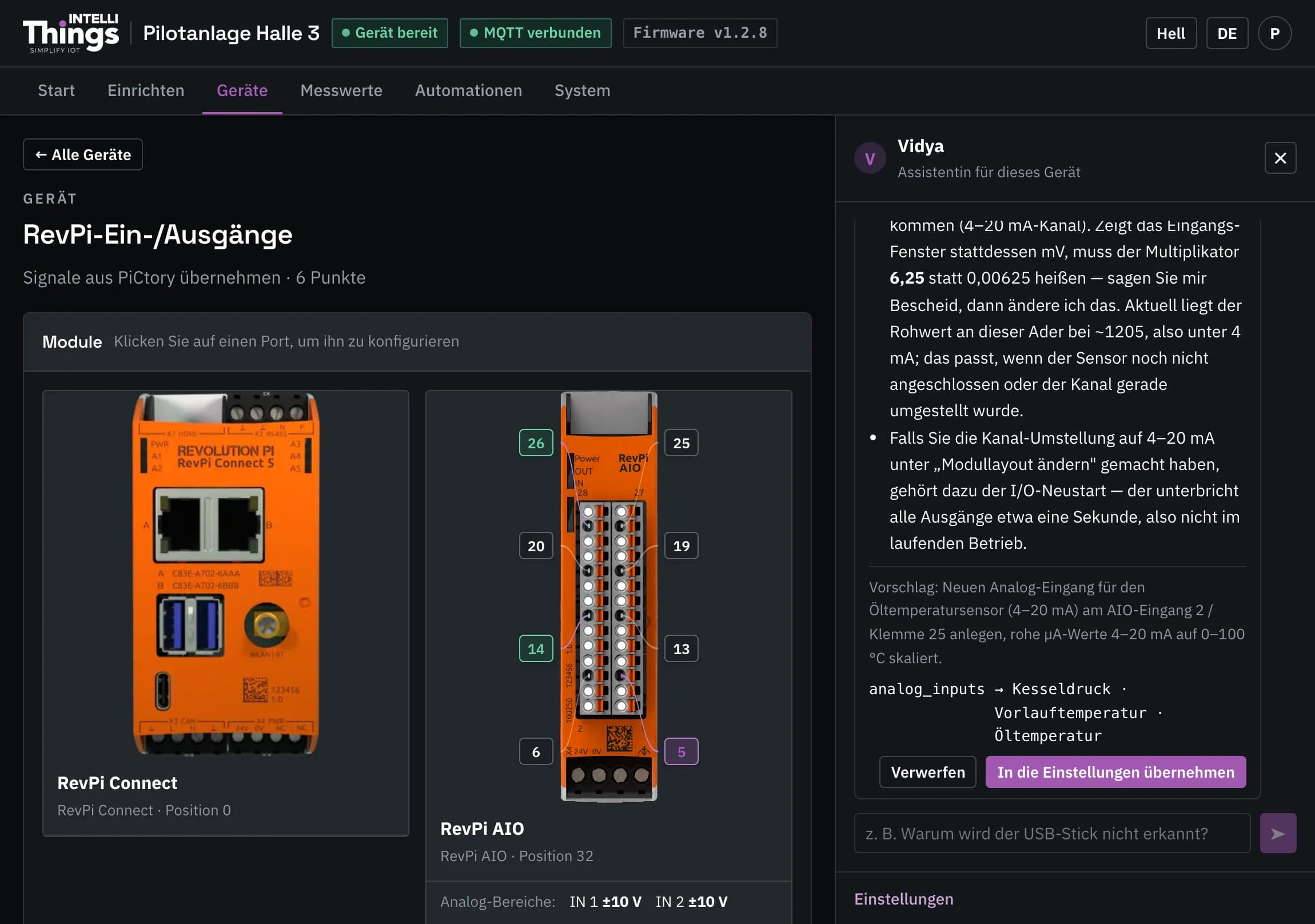
- Dismiss discards the proposal.
- Put it into the settings (Apply to settings) adds the proposal to the relevant page as unsaved changes. The yellow bar appears to indicate that these changes have not been saved.
For example, when a proposal adds a port, the port map shows a violet marker labelled not yet saved.
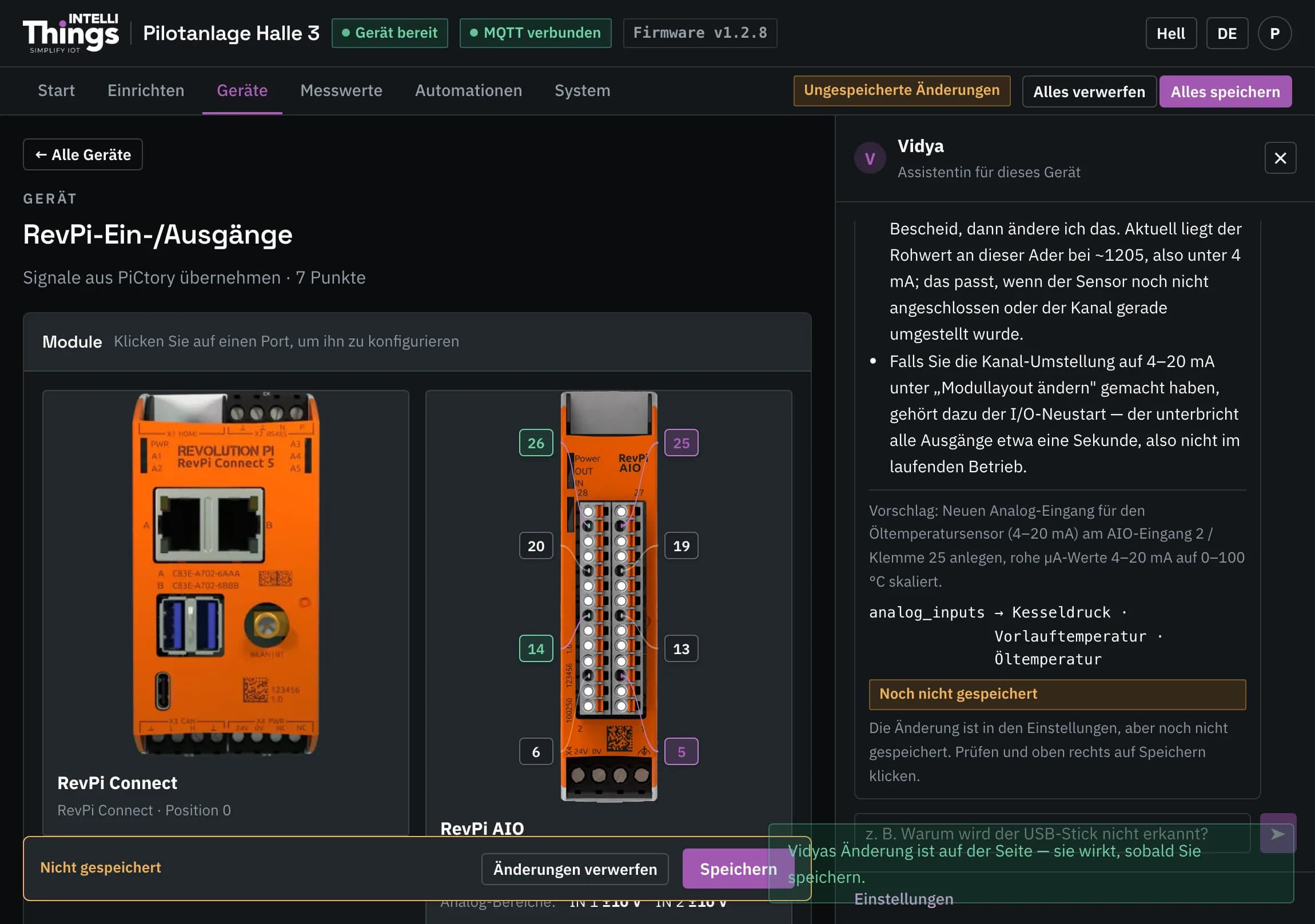
Review the changes on the relevant page, then click Save to apply them to the RevPi. Adding a proposal to the settings does not activate it. Proposals that affect an output or relay explicitly indicate this. See Saving changes.
Create automation rules
Describe the behaviour you need, for example: “Switch the pump on when the tank is low, and off when it is full.”
Vidya writes the rule and tests it using the actual rule engine with test scenarios it generates. Before any changes are applied, it shows a card explaining what it tested. Review the proposal and save it using the process above. See Automations for the available rule types and settings.
Verify wiring advice
Vidya’s general knowledge of RevPi hardware comes from the language model. Verify any wiring advice before using it.
If Vidya is unreachable
If Vidya reports that it is unreachable, the RevPi cannot connect to the AI service. See Troubleshooting for the next steps.