

Devices
Manage devices for your device templates. View, create, and import devices in bulk.
A device in CORE is a digital entity that represents a physical product or a virtual thing. It serves as a digital twin — a representation within the platform that can store, manage, and exchange data.
A device does not have to be a physical product. It can also represent:
- A virtual entity where you store data from any source
- An API-injected data stream where values are pushed into the platform
- A logical grouping of related data points
In essence, the concept of a device is an entity based on a device template. The device template defines what data the device can handle (via Datastreams), while the device itself is a specific instance of that template.
What Is a Device?
CORE lets you manage devices for your device templates. This page shows a list of devices and lets you create new ones.
View Devices
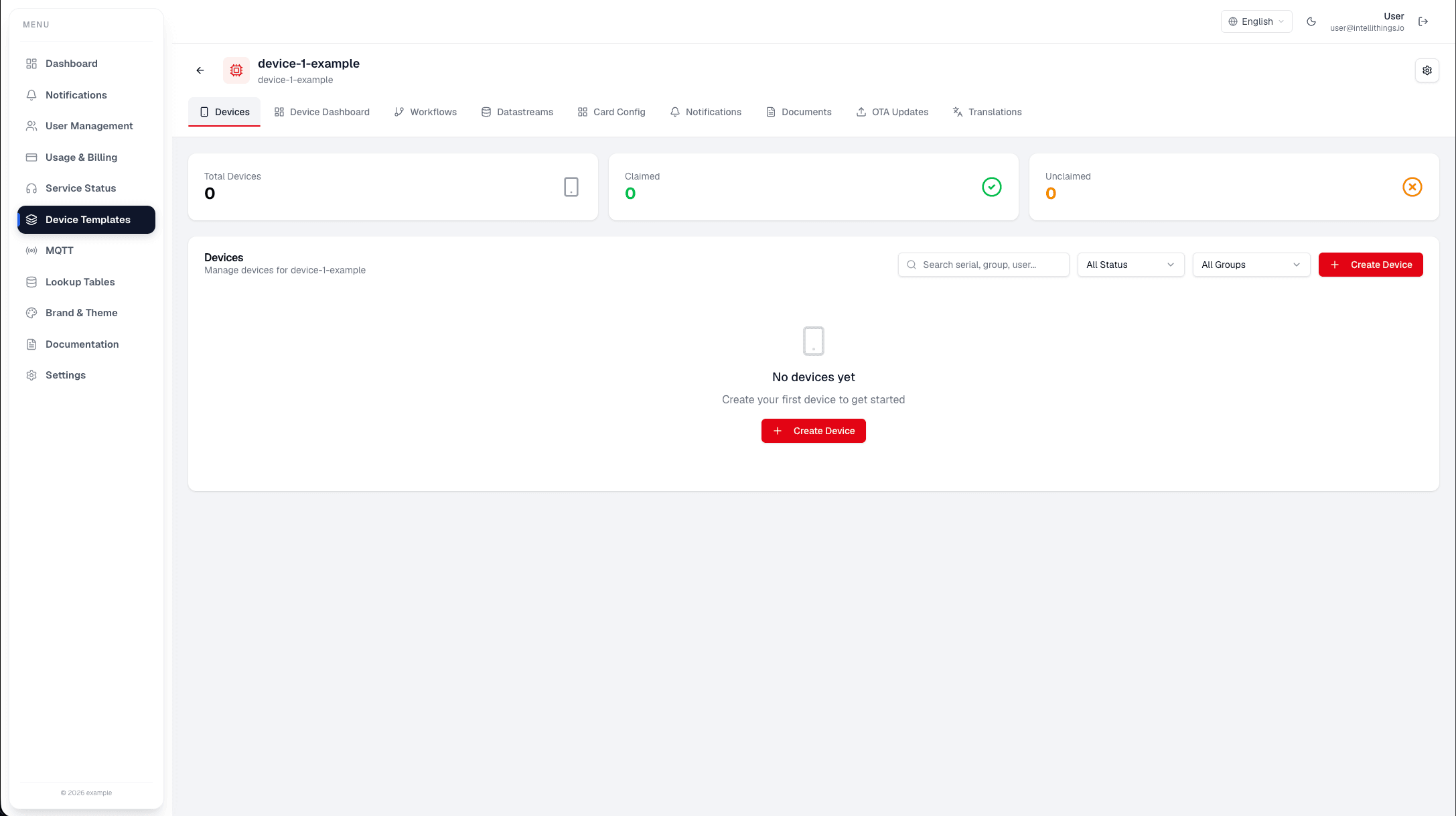
This screen shows a list of devices for the selected device template.
- Total devices: Total number of devices.
- Active devices: Devices currently active.
- Inactive devices: Devices not active.
- Search by group, tag, or status: Filter devices by group, tag, or status.
You can create a new device by clicking the Create Device button.
Steps to Create a Device
- Click Create Device.
- Choose how to add the device:
- Single Device: Enter device details manually.
- Bulk Import CSV: Upload a CSV file with device details.
- Follow the instructions for your chosen method.
Use the device form or import dialog to add devices to the selected device template. Review the required fields before saving or uploading a CSV file.
Create a Device Using CSV
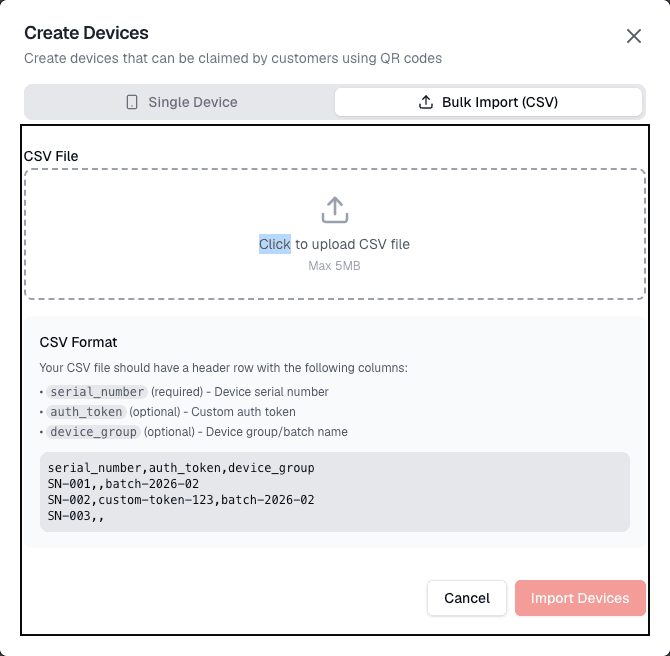
This screen lets you create devices by uploading a CSV file.
- CSV File: Upload a CSV file with device details.
- Upload CSV File: Click to select a file.
- CSV Format: View the required format for the CSV file.
Steps to Upload a CSV File
- Click Upload CSV File.
- Select a CSV file from your computer.
- Review the CSV format if needed.
- Click Create Device to finish.