

Workflow Basics
Learn what workflows are in CORE, how they work, and how to automate actions based on device data.
Workflows in CORE are automation rules that respond to events, process data, and trigger actions — all without manual intervention. They allow you to build intelligent, event-driven logic that connects your devices to external systems, dashboards, and business processes.
What Is a Workflow?
A workflow is a sequence of operations connected together like a flowchart. Each operation is called a node, and nodes are linked by directional connections that define the order of execution.
When a workflow runs:
- A trigger node starts the workflow when a specific event occurs
- The workflow processes data through action, data, and logic nodes
- The workflow completes when all execution paths reach an end node
How Workflows Work
Workflows operate on an event-driven model. They start when something happens — a device sends data, a schedule fires, or an external API calls your workflow endpoint. From there, the workflow follows the connections between nodes, processing and transforming data along the way.
Each node in a workflow has a specific role:
- Trigger nodes start the workflow when an event occurs
- Action nodes perform operations like sending MQTT messages or notifications
- Data nodes retrieve, transform, or store data
- Logic nodes make decisions based on conditions, calculations, or formulas
Workflow Structure
Every workflow consists of the following components:
Nodes
Nodes are the building blocks of workflows. Each node performs a specific function and can pass data to connected nodes. Nodes are categorized by their purpose:
| Category | Purpose | Examples |
|---|---|---|
| Triggers | Start the workflow | API Trigger, Schedule, Datastream Change |
| Actions | Perform external operations | MQTT Publish, Notification |
| Data | Retrieve or transform data | Get History, HTTP Request, Lookup Table |
| Logic | Control flow and decisions | Condition, Calculation, Formula |
Connections
Connections define the order in which nodes execute. Data flows from one node to the next along these connections, allowing each node to receive input from the previous node and pass its output to the next.
Variables
Variables are dynamic values that flow through a workflow. They can come from device data, API responses, calculations, or be set manually. Nodes use variables as input and produce new variables as output.
When to Use Workflows
Workflows are ideal for:
- Automating responses to device events (e.g., send a notification when temperature exceeds a threshold)
- Transforming and enriching data before storing it (e.g., convert units using a formula)
- Integrating with external systems (e.g., send data to an API, publish to an MQTT broker)
- Running periodic tasks (e.g., generate a report every hour)
- Making decisions based on complex conditions (e.g., activate a device only when multiple criteria are met)
Getting Started
To create your first workflow:
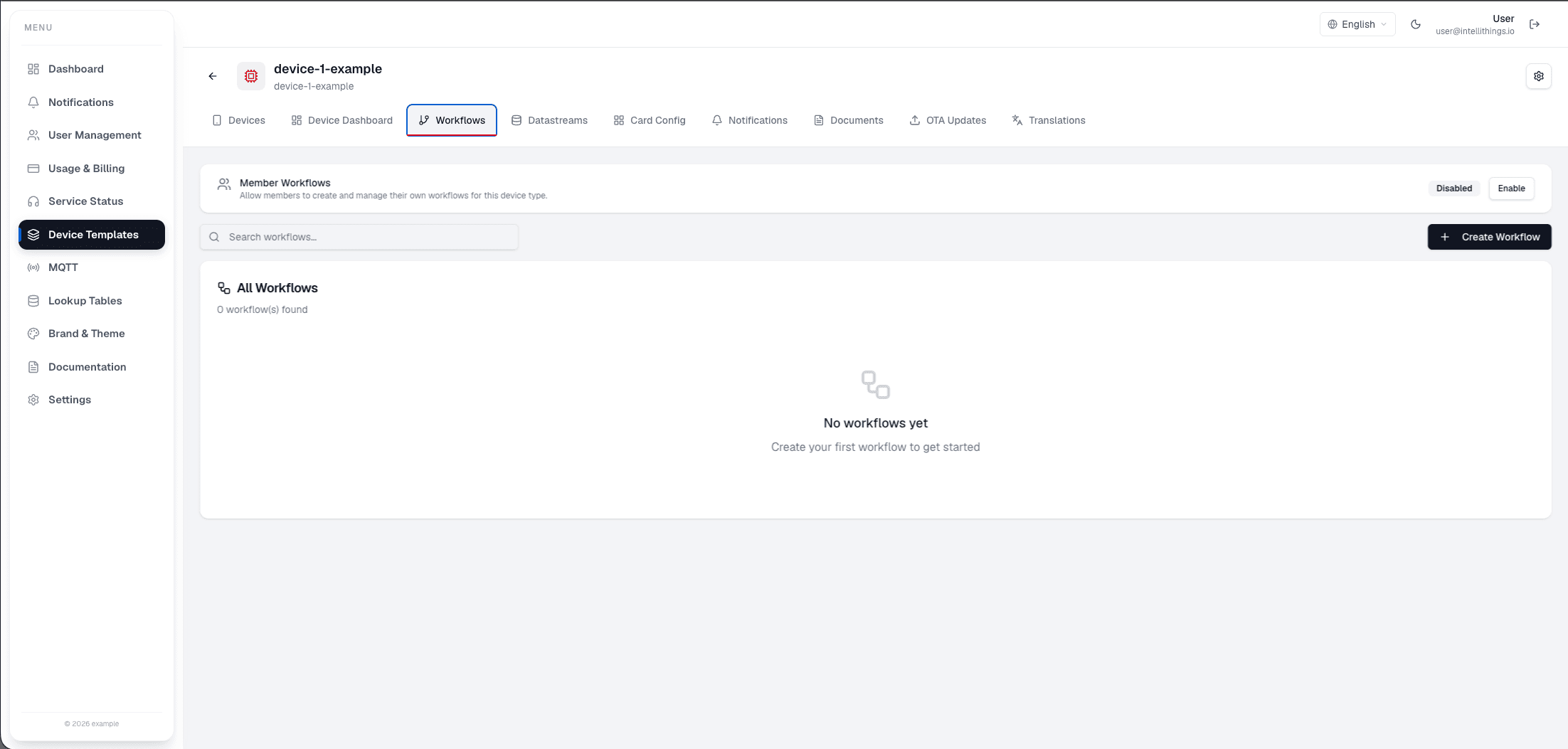
- Navigate to the Workflows section in the Device Template
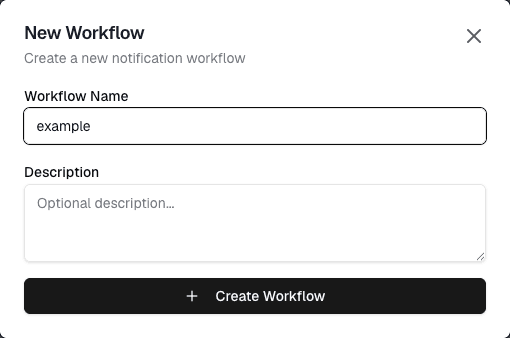
- Click Create Workflow
- Choose a trigger to start your workflow
- Add nodes by connecting them to the trigger or to each other
- Configure each node's settings
- Save and activate the workflow
For detailed information about each node type, see the Nodes section.
Next Steps
- Learn about Workflow Limitations and Best Practices
- Understand the difference between User-Defined and Template Workflows
- Explore all available Node Types