

Horizontal Slider
Add a horizontal slider widget to adjust values within a defined range.
The Horizontal Slider widget provides an intuitive control for adjusting numeric values within a defined range by dragging a handle along a horizontal bar. It supports configurable minimum and maximum values, step sizes, and real-time preview. We recommend this widget for fine-tuning setpoints such as flow rate adjustments, threshold configuration, or any scenario requiring precise manual value input with visual feedback.
Step 1: Open the Widget Configuration
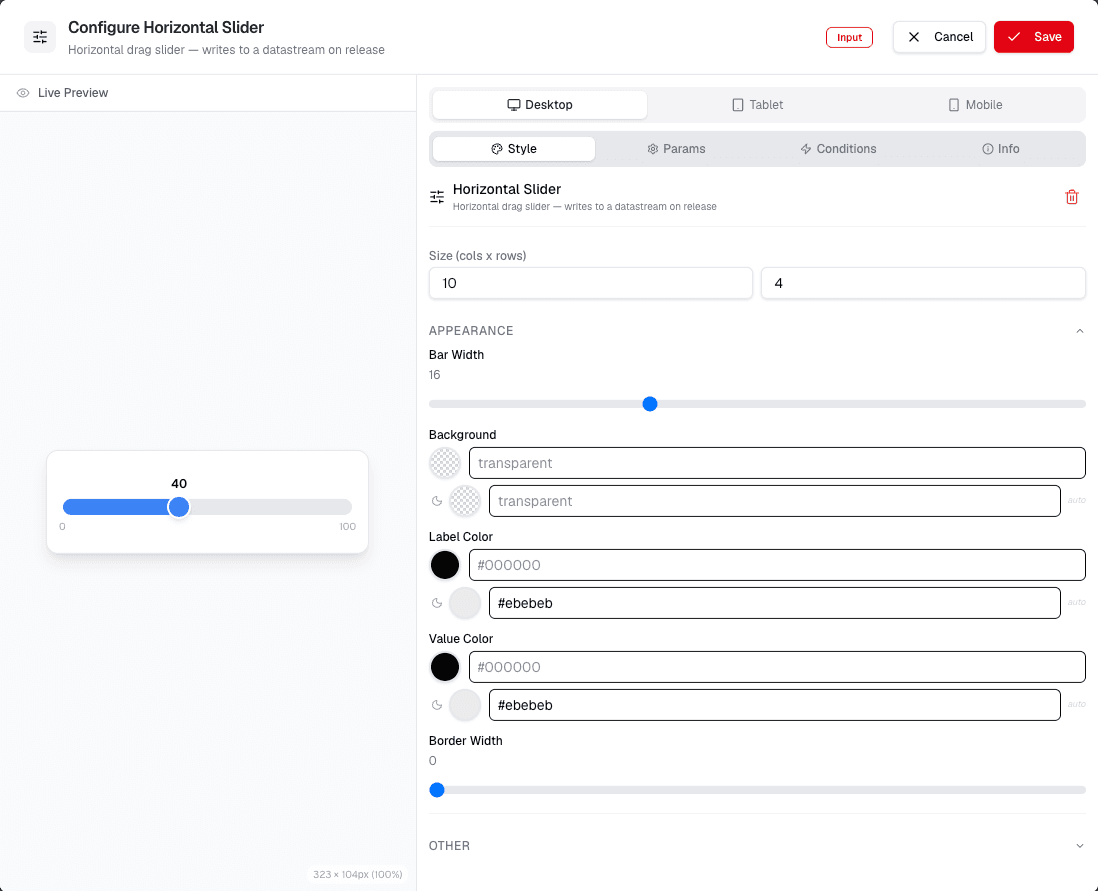
Review the screenshot and follow the visible controls. You see the configuration options for the horizontal slider widget. This is where you define how the slider behaves and how it interacts with your device data.
Step 2: Configure Slider Settings
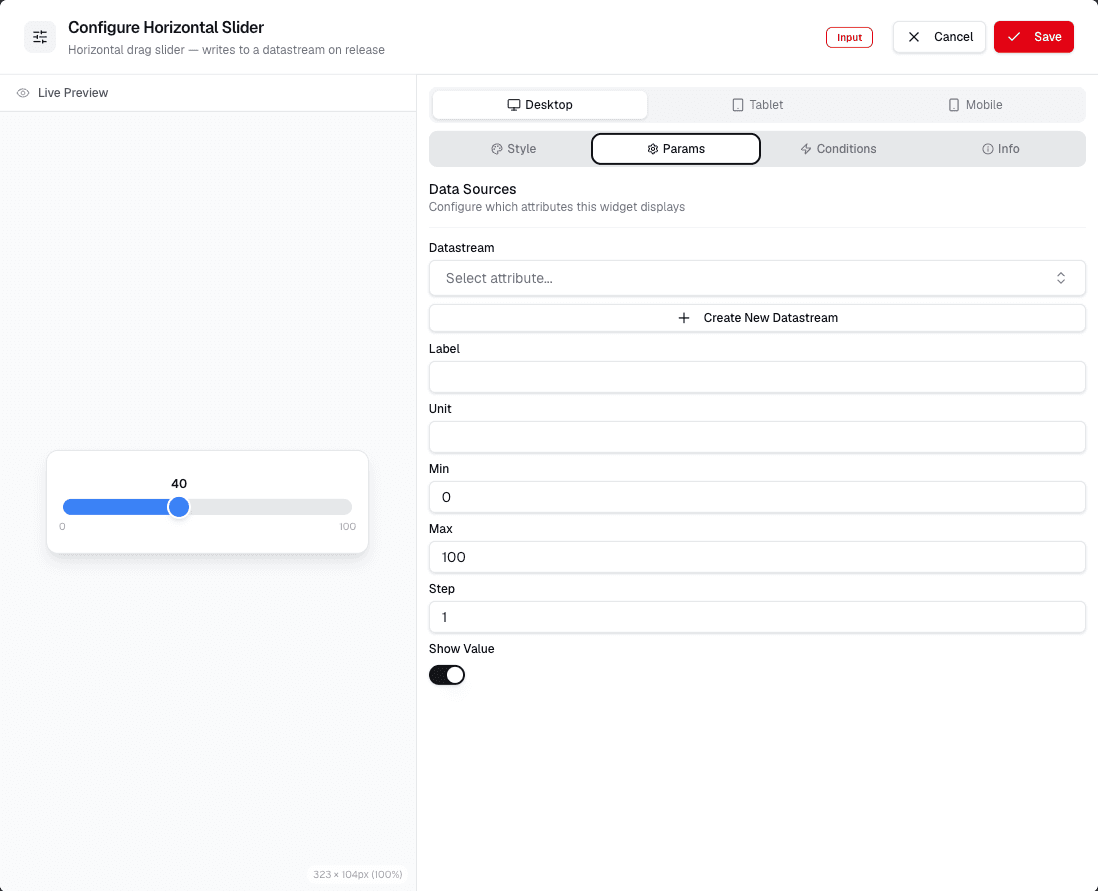
Review the screenshot and follow the visible controls. Here, you can set the minimum and maximum values for the slider. You can also define the step size and whether the slider should be enabled or disabled.
Use the preview to test the slider range. Save the widget after confirming that the minimum value, maximum value, and step size match the control behavior you want.