

Lookup Table
Map values using lookup tables in your workflows.
The Lookup Table node maps input values to corresponding output values using predefined tables. This is useful for converting codes, translating statuses, and normalizing data.
Overview
The Lookup Table node performs value mapping based on configured key-value pairs. It takes an input value and returns the mapped output.
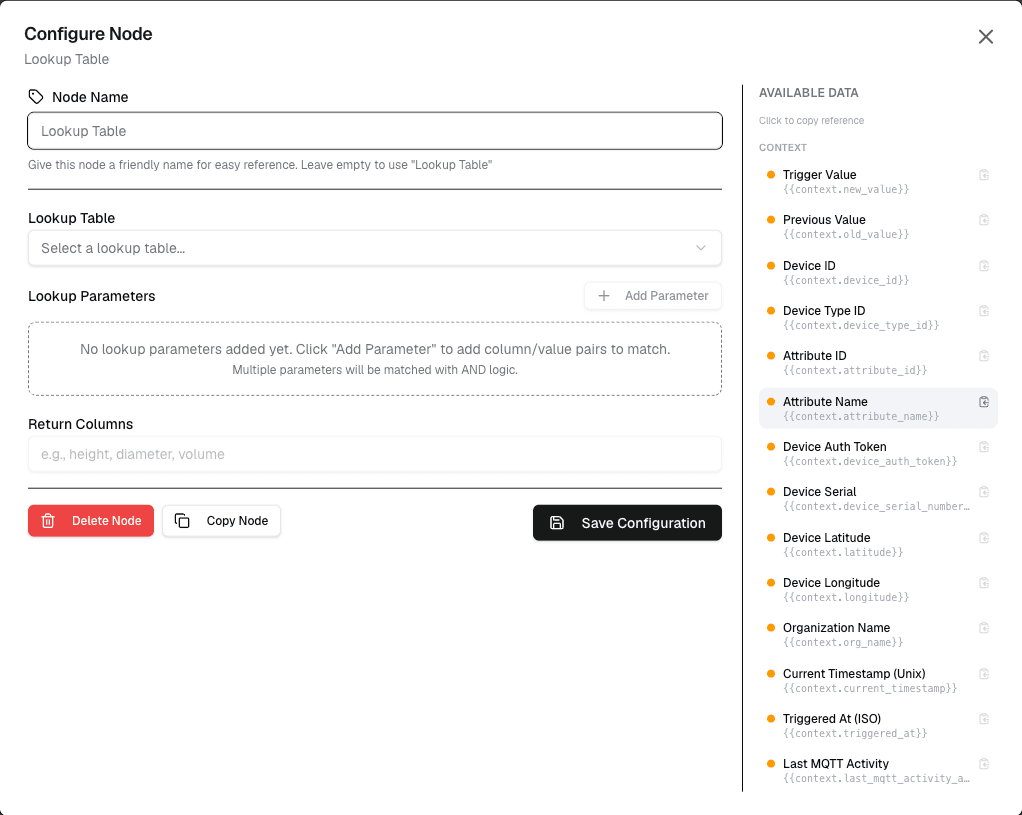
How It Works
- Configure the lookup table with key-value pairs
- Provide an input value to look up
- The node returns the mapped value or a default
Configuration
| Setting | Description |
|---|---|
| Lookup Table | Define key-value pairs for mapping |
| Input | The value to look up |
| Default | Value to return if no match found |
Use Cases
- Code translation — Convert sensor codes to human-readable names
- Status mapping — Map numeric codes to status descriptions
- Unit conversion — Map internal values to display units
- Data normalization — Standardize inconsistent input values
Example: Sensor Type Mapping
Lookup Table:
  "TMP01" → "Temperature Sensor"
  "HUM01" → "Humidity Sensor"
  "PRS01" → "Pressure Sensor"

Input: {sensorCode}
Output: "Temperature Sensor"
Best Practices
- Keep lookup tables small and focused
- Use descriptive keys and values
- Always set a default value for unknown inputs
- Document the purpose of each lookup table
Limitations
- Lookup tables are stored in workflow configuration
- Large tables may impact performance
- Tables cannot be dynamically updated at runtime
Next Steps
Connect the lookup table output to notification nodes for alerts, or to action nodes for conditional responses.