

Switch
Route workflow execution based on value matching in your workflows.
The Switch node routes workflow execution to different branches based on matching an input value against multiple possible outputs. This is ideal for multi-way routing decisions.
Overview
The Switch node evaluates an input value and routes the workflow to the appropriate output branch based on configured cases. Unlike the Condition node which handles binary true/false, the Switch handles multiple possible values.
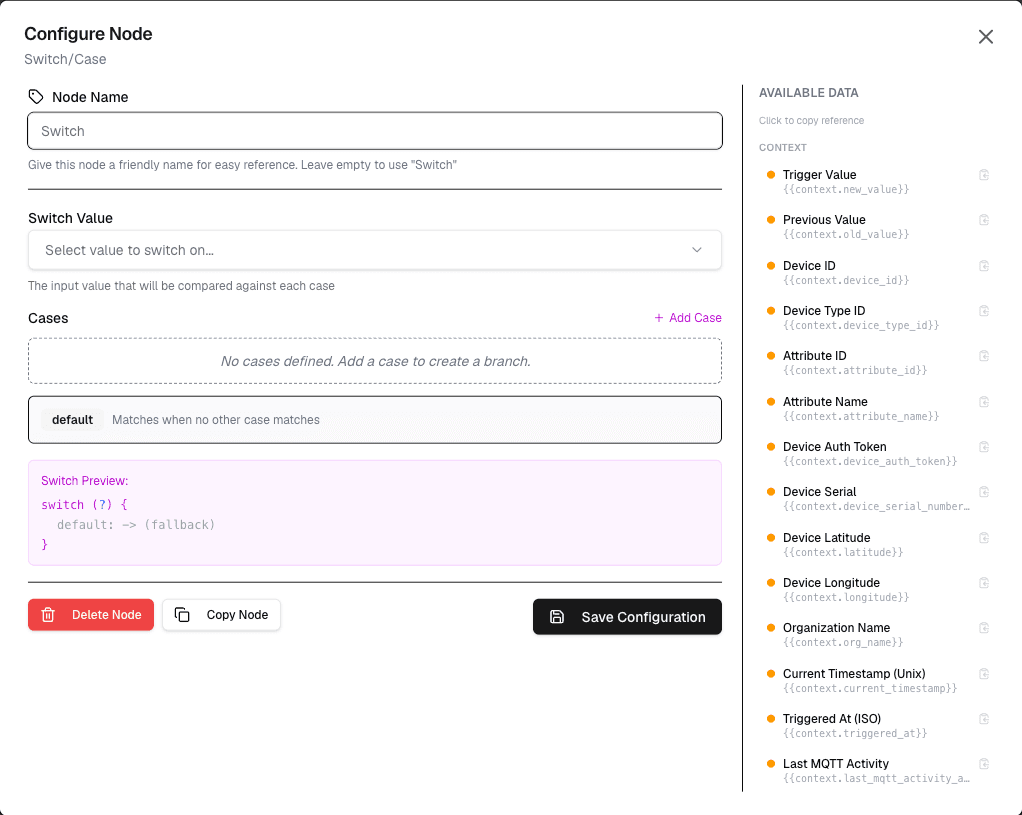
How It Works
- Provide the input value to evaluate
- Define cases with matching values and target branches
- Optionally set a default case for unmatched values
- The workflow routes to the matching branch
Configuration
| Setting | Description |
|---|---|
| Input | The value to evaluate (string, number, or variable) |
| Cases | Define value-to-branch mappings |
| Default | Optional default branch for unmatched values |
Use Cases
- Multi-status routing — Different actions for different device statuses
- Type-based processing — Route data based on message type
- Region-based actions — Different processing for different regions
- Priority handling — Route high-priority items differently
Example: Device Status Routing
Node: Switch
  Input: {deviceStatus}
  Cases:
    "online" → Branch: Monitor
    "offline" → Branch: Alert
    "maintenance" → Branch: Log
    default → Branch: Unknown
Best Practices
- Always define a default case for unmatched values
- Use descriptive case labels
- Order cases by frequency for efficiency
- Document expected input values
Limitations
- Each case matches a single value
- Complex pattern matching requires other nodes
- Only one switch per workflow branch
Next Steps
Connect each switch branch to different action nodes for specialized processing.