

Update Attribute
Update device attributes from your workflows.
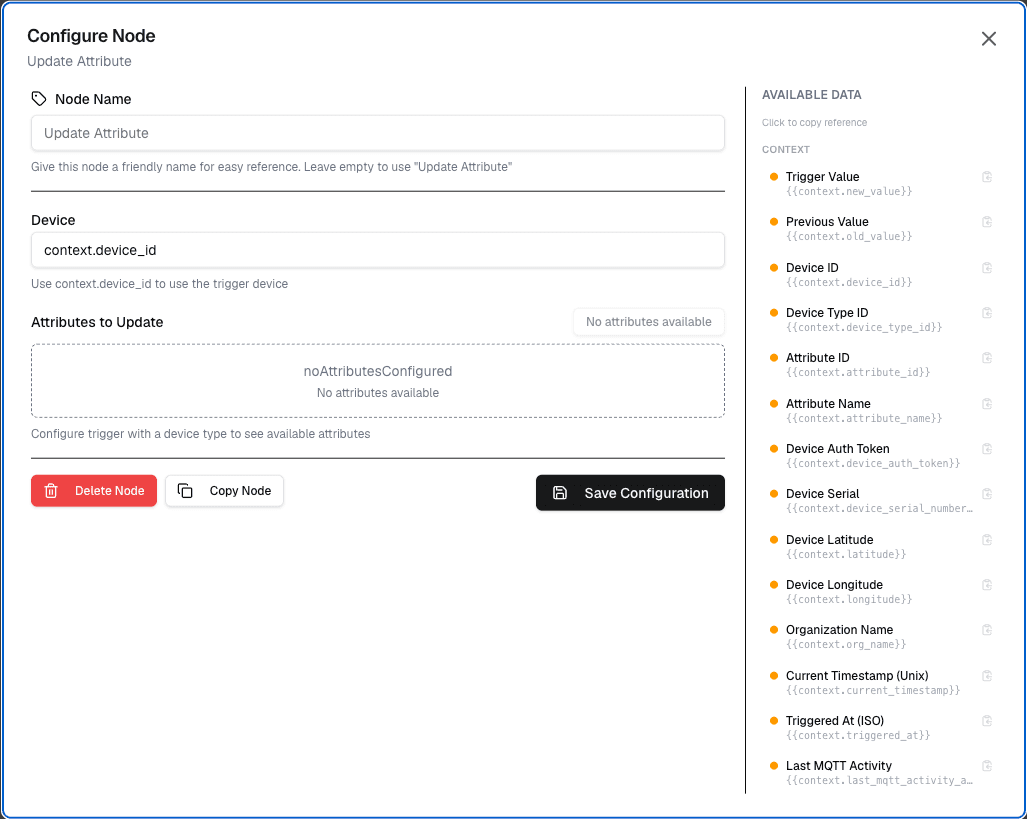
The Update Attribute node updates device attributes during workflow execution. This allows workflows to modify device metadata and configuration.
Overview
The Update Attribute node enables workflows to write back attribute values to devices, providing a way to update device configuration, status, or custom properties.
How It Works
- Select the target device and attribute name
- Set the new attribute value (constant or workflow variable)
- The attribute is updated when the workflow runs
Configuration
| Setting | Description |
|---|---|
| Device | Select the target device |
| Attribute | Select or enter the attribute name |
| Value | The new value (constant or variable) |
Use Cases
- Status updates — Update device status based on workflow results
- Configuration changes — Modify device configuration dynamically
- Metadata tracking — Record last maintenance date, error counts
- State management — Implement device state machines
Example: Update Device Status
Node: Update Attribute
  Device: {device}
  Attribute: lastAlertTime
  Value: {currentTimestamp}

Node: Update Attribute
  Device: {device}
  Attribute: alertCount
  Value: {alertCount + 1}
Best Practices
- Use descriptive attribute names
- Validate values before updating
- Handle errors if the device is offline
- Log attribute changes for audit purposes
Limitations
- Only updates attributes set on the device
- Device must be online for immediate sync
- Some attributes may require device restart
Differences from Datastreams
| Feature | Attributes | Datastreams |
|---|---|---|
| Purpose | Device metadata | Time-series data |
| Update Frequency | Infrequent | Continuous |
| Storage | Device config | Datastore |
| Query | Current value only | Historical values |
Next Steps
Connect the update attribute node after data processing, or use it alongside notification nodes to update device status when alerts are sent.