

API Trigger
Configure an API trigger to start workflows when called via HTTP.
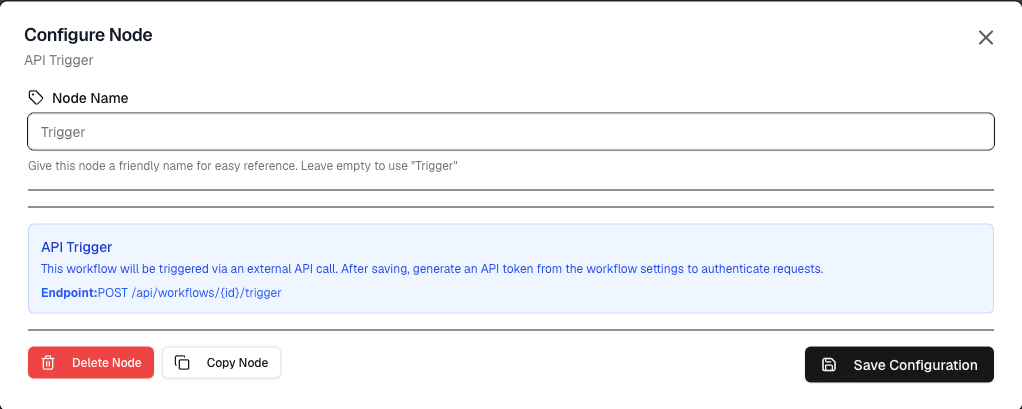
The API Trigger node starts a workflow when it receives an HTTP request at a unique endpoint URL. This allows external systems to trigger workflows on demand.
Overview
The API Trigger provides a webhook-style interface for triggering workflows from external applications, services, or systems.
How It Works
- When you add an API Trigger to a workflow, the platform generates a unique URL
- Any external system can send an HTTP request to this URL
- When the request is received, the workflow starts automatically
- The request body is passed to the workflow as input data
Configuration
| Setting | Description |
|---|---|
| Method | HTTP method to accept (GET or POST) |
| Authentication | Optional API key for securing the endpoint |
| Response | Optional custom response to return to the caller |
Using the API Trigger
Step 1: Add the Node
- Add an API Trigger node to your workflow
- The node displays a unique URL — copy this URL
Step 2: Send a Request
Send an HTTP request to the URL:
curl -X POST "https://..." \
  -H "Content-Type: application/json" \
  -d '{"temperature": 22.5, "humidity": 45}'
Step 3: Access the Data
The JSON data from the request body is available in the workflow as variables. Connect subsequent nodes to process this data.
Use Cases
- External system integration — Trigger a workflow when an external system sends data
- Manual triggers — Start a workflow from a script or application
- Webhook receiver — Receive webhooks from third-party services
- Real-time updates — Push data to the platform on demand
Security Considerations
API Key Authentication
For production use, enable API key authentication:
- Configure an API key in the node settings
- Callers must include the API key in the request header:
curl -X POST "https://..." \
  -H "Authorization: Bearer YOUR_API_KEY" \
  -d '{"data": "value"}'
URL Protection
- Keep the API URL confidential — anyone with the URL can trigger the workflow
- Use authentication whenever possible
- Monitor workflow execution logs for unexpected triggers
Limitations
- The API endpoint has a timeout limit — long-running workflows may not return a response
- Request body size is limited — keep payloads small
- Only one trigger per workflow — the API Trigger must be the first node
Next Steps
Connect the API Trigger to other nodes to process the incoming data, store it in datastreams, or trigger actions.