

MQTT Listener
Configure an MQTT listener trigger to start workflows when MQTT messages are received.
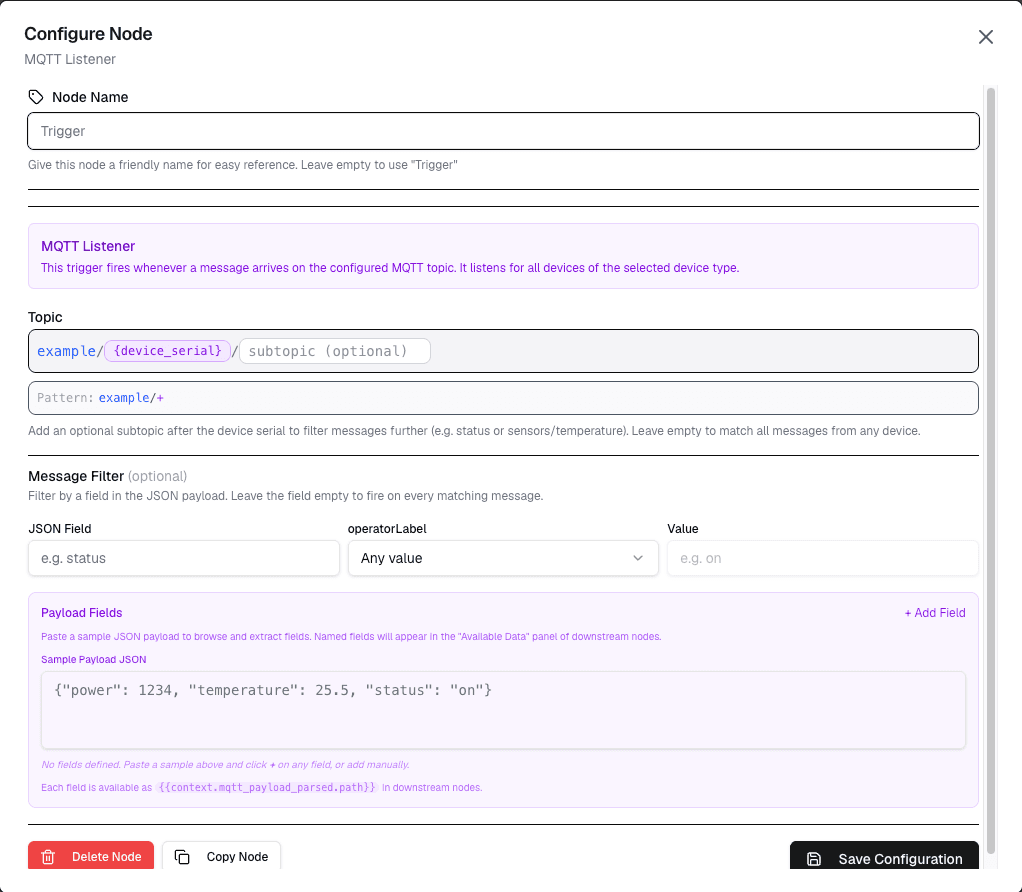
The MQTT Listener trigger starts a workflow when a specific MQTT topic receives a message. This trigger enables workflow automation based on MQTT-based device communication.
Overview
The MQTT Listener allows workflows to respond to MQTT messages published to any topic, enabling integration with MQTT-based devices and systems.
How It Works
- Configure the MQTT topic pattern to listen to
- When a message is published to that topic, the workflow starts
- The message payload is passed to the workflow for processing
Configuration
| Setting | Description |
|---|---|
| Topic | MQTT topic pattern to listen to (supports wildcards) |
| Broker | MQTT broker to connect to |
| QoS | Quality of Service level to subscribe with |
Topic Wildcards
The MQTT Listener supports standard MQTT wildcard characters:
| Wildcard | Description | Example |
|---|---|---|
| + (single level) | Matches one topic level | mycompany/fromDevice/+ matches any device |
| # (multi level) | Matches all remaining levels | mycompany/# matches all topics |
Examples
# Listen to all devices
Topic: mycompany/fromDevice/#

# Listen to a specific device
Topic: mycompany/fromDevice/SENSOR-001

# Listen to all fromDevice topics
Topic: mycompany/fromDevice/+
Use Cases
- MQTT device automation — Respond to messages from MQTT-enabled devices
- System integration — Connect workflows to existing MQTT infrastructure
- Multi-device coordination — Trigger workflows based on messages from multiple devices
- Command processing — Receive and process commands sent via MQTT
Example: Device Command Processing
Trigger: MQTT Listener
  Topic: mycompany/toDevice/SENSOR-001
  QoS: 1

→ Workflow parses the JSON payload
→ Workflow updates device attributes
→ Workflow sends confirmation
Security Considerations
- Topic access — Ensure your MQTT credentials have permission to subscribe to the configured topic
- Message validation — Always validate incoming message payloads before processing
- Authentication — Use authenticated MQTT connections when possible
Limitations
- Only one MQTT Listener per workflow
- The listener must be configured before the workflow is activated
- Message size is limited by MQTT broker constraints
Next Steps
Connect the MQTT Listener to data nodes for message processing, or to action nodes for performing operations based on received messages.